Workforce7.0.1
Publisher Description
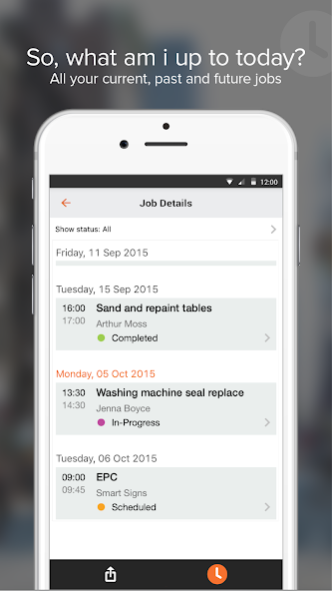
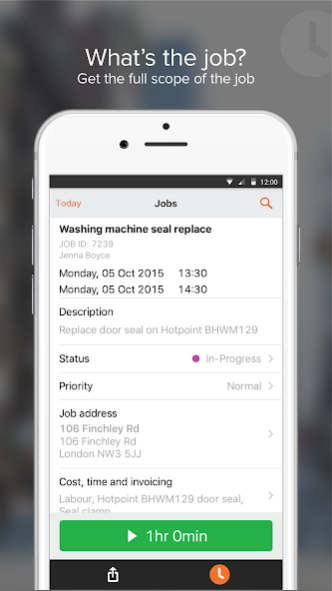
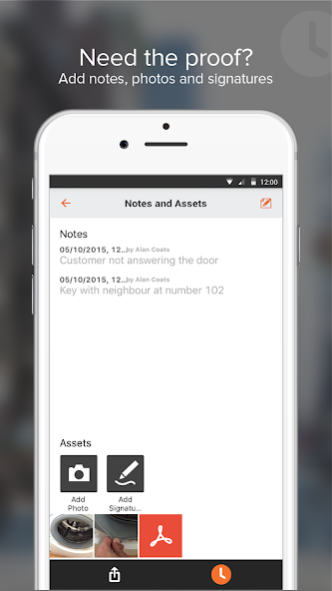
Workforce is a simple, clear and intuitive field companion App brought to you by Workforce. The app allows field workers to manage assigned work from their phones as well as syncing the data in real time with admin staff in the office. The app is available for both the Android and Apple iOS devices.
When used with the Workforce field management console, the App has an extensive feature list including:
▪ Managing and updating jobs
▪ Capturing notes, images & signatures
▪ Time tracking
▪ View jobs on a map
▪ Google Maps route navigation integration
Workforce for Android is part of the WorkforceFM field and job management software suite that makes running and managing a mobile workforce simple. An active subscription is required; further details can be found by visiting www.workforce.fm
About Workforce
The company that develops Workforce is Workever. The latest version released by its developer is 7.0.1.
To install Workforce on your Android device, just click the green Continue To App button above to start the installation process. The app is listed on our website since 2020-09-15 and was downloaded 2 times. We have already checked if the download link is safe, however for your own protection we recommend that you scan the downloaded app with your antivirus. Your antivirus may detect the Workforce as malware as malware if the download link to com.workforceglb.android is broken.
How to install Workforce on your Android device:
- Click on the Continue To App button on our website. This will redirect you to Google Play.
- Once the Workforce is shown in the Google Play listing of your Android device, you can start its download and installation. Tap on the Install button located below the search bar and to the right of the app icon.
- A pop-up window with the permissions required by Workforce will be shown. Click on Accept to continue the process.
- Workforce will be downloaded onto your device, displaying a progress. Once the download completes, the installation will start and you'll get a notification after the installation is finished.
Program Details
System requirements
Download information
Pricing
Version History
version 7.0.1
posted on 2020-09-16
All Day Jobs
Bug fixes & improvements
version 7.0.1
posted on 2020-09-14
Site history on jobs
Various updates and fixes
version 7.0.1
posted on 2020-08-16
Bug fixes & improvements
version 7.0.0
posted on 2020-08-07
- Support for 'Time Only' date field for Forms
- Support for rich static content for Forms
- Various bug fixes & improvements
version 6.4
posted on 2020-05-08
- Add forms to jobs from the App by editing or adding a job
- View multiple Assets on individual jobs
- Date & time custom field fixes
- Offline syncing fixes for notes, photos and custom fields
- Bug fixes and performance improvements
version 6.3
posted on 2020-03-07
- Status filter fix
- New Feature: Annotate images - when taking a photo you can now circle or draw on images to show something important
version 6.1
posted on 2020-02-16
- Added AM and PM time support
- Revisit notes fix
- Bug fixes & Improvements
version 6.0.2
posted on 2020-01-07
Assets & Cost Item bug fixes
version 6.0.1
posted on 2019-12-31
If you have permissions to view and edit costs and jobs, you can now add a discount to a cost item
version 6.0.0
posted on 2019-12-17
We've released our most requested feature yet! - Forms
You can now complete:
- Compliance forms
- Custom built forms
- Checklists & Inspections
- Audits, Survey's and much more.
All from within the easy to use intuitive Workforce App. This build also includes some minor bug fixes and improvements
